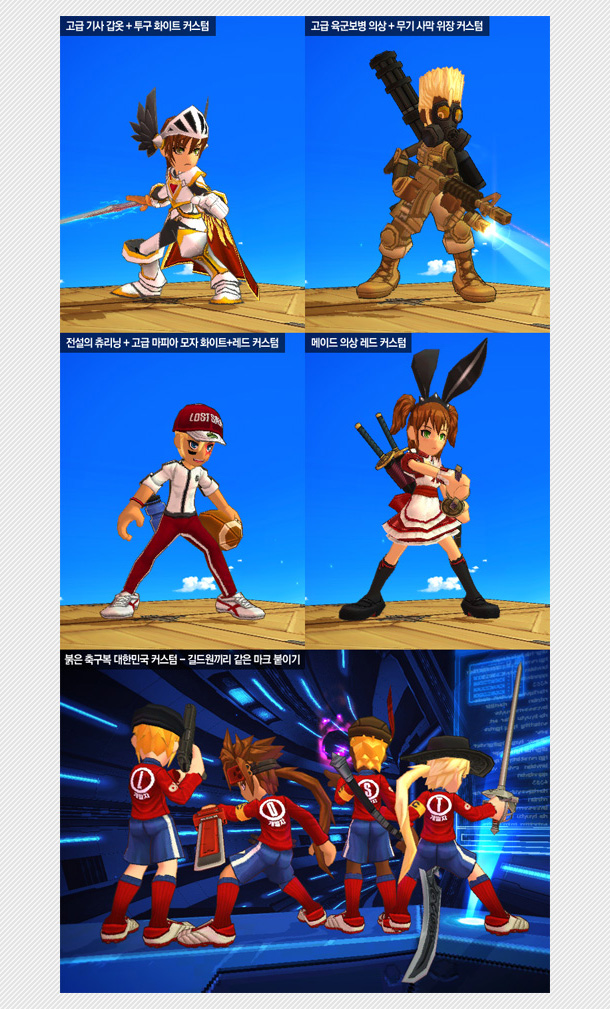
I want to make equipment skin. I don't know what to do.
Or I downloaded the skin I liked and how to apply it.
If you are in trouble, please take a good look at the content below and follow it!
Apply after purchasing an item
After purchasing an item in the store, I use it in my item.
Only the permanent equipment I have can change the skin.
You can change the skin after selecting one item from men's equipment and one from women's equipment.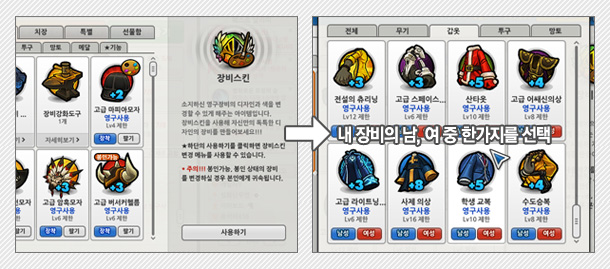
Skin Change Window Main UI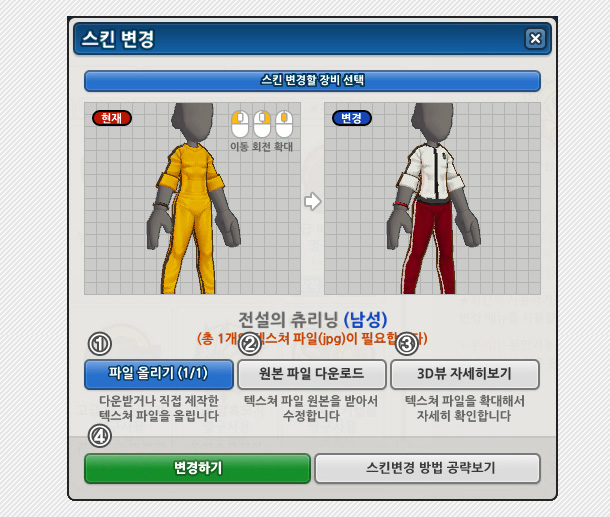
① Upload File : Upload the texture file I have on my computer to see it on a 3D screen.
② [Download original file] : Saves the texture file for the selected device to the desktop.
③ [3D View Details] : View the details of the texture file with a larger screen.
④ [Change] : Run the file upload and complete it.
There are two main ways to change the skin.
A. When a downloaded texture file exists
① Upload File Press the button to find the file on my computer and upload it.
The number of texture files you need for each device is different, so you have to match them all.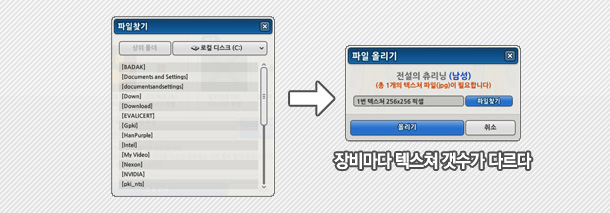
B. When I was producing a texture file.
② [Download original file] Press the button to save the instrument texture file to my computer.
Each device has a different number of texture files, so you need to modify them all.
Edit the texture file with the image editing program that suits you and save it.
(JPG/256x256 pixels)
① Upload File Press the button to upload the edited texture file
③ [3D View Details] Press the button to see the details of the texture applied to the large screen.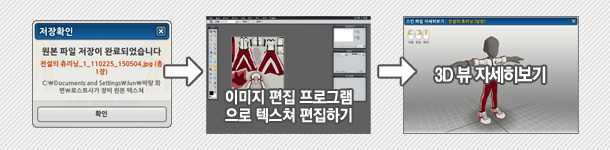
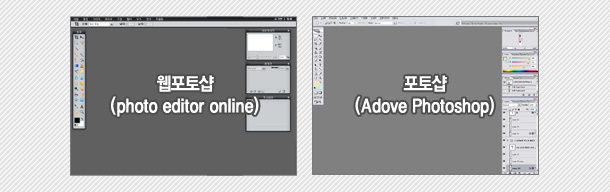
★ Create a Texture File-Find the right image editing program for me
Featured ★ Web Photoshop(Photo Editor Online): This is a free image editing program that runs directly on the web. 
Photoshop : A paid image editing program that can produce the best results. Recommended for people with abilities.
Paint.net : A free image editing program similar to Photoshop.
Picture board : This is the default Windows image editing program. It's easy to handle, but it's hard to produce good results.
Done
④ [Change] Press the button to upload the texture file.
If the equipment is installed after it is completed, the changed skin will be applied. (You can only delete skins from my items separately.)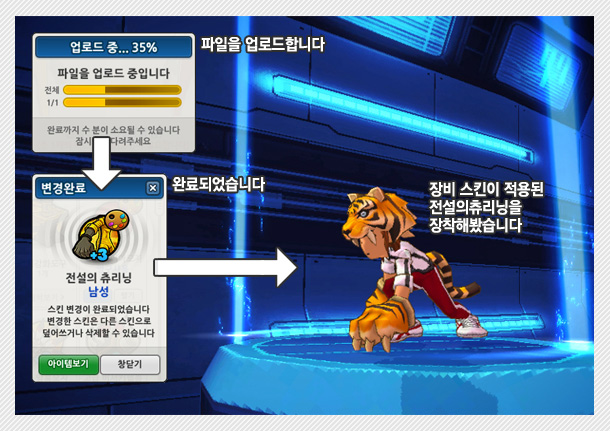
Sample Skin File
It is a skin file provided by the operation team. You can download and use it freely.
Apply a nice skin file after purchasing the item.